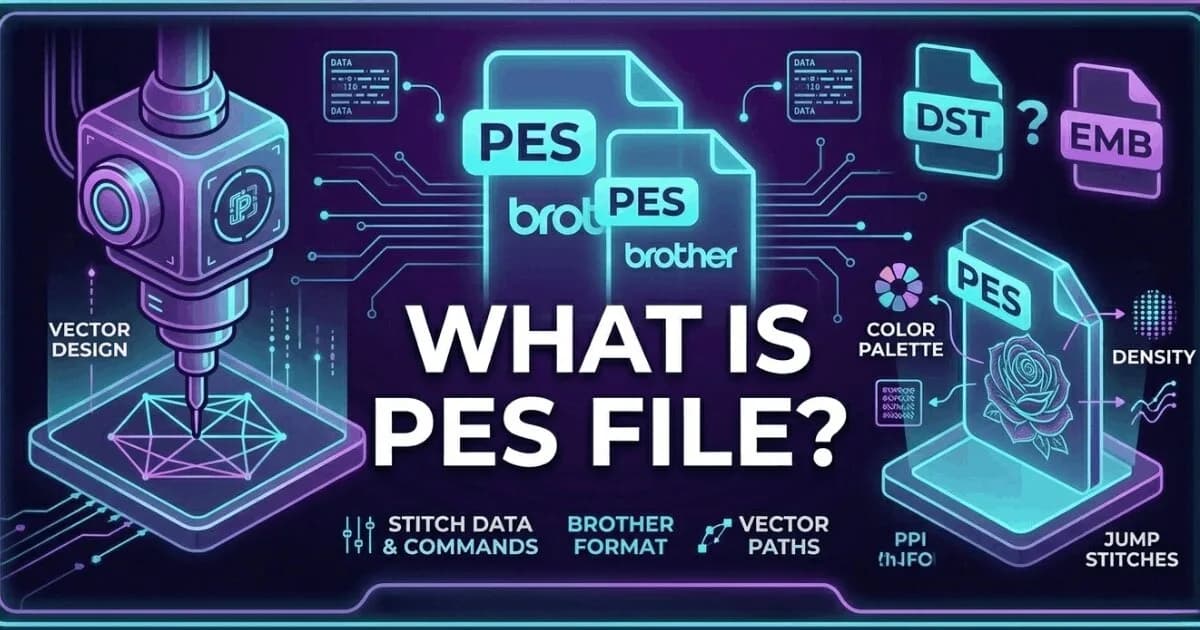
What Is a PES File? Brother and Baby Lock Embroidery Format Explained
A PES file is the native embroidery format for Brother and Baby Lock machines. It stores thread colour information insid…
Read More
Last updated:
DST is a common commercial embroidery format used by Tajima and Barudan machines. It stores stitch coordinates and machine commands but no thread colors. We convert designs into production-ready DST files within 2 to 4 hours starting from $15.
A DST file is a machine stitch file used by the most common embroidery formats in the DST family. It stores machine stitch points, colour stop commands and machine control codes.
Need to convert a PNG or logo into DST? See our PNG to DST conversion guide
It is a machine-ready file: you load it directly into your embroidery machine and run it.
DST files are supported by Tajima, Barudan, ZSK, Happy, Sunstar and most other commercial multi-head embroidery machines. It is the closest thing to a universal embroidery format in the commercial production world.
DST files store stitch coordinates and colour stop commands but do not store thread colour information. Operators set thread colours manually at the machine. Sassy Digitizing includes a colour worksheet with every DST file delivery.
Every order from Sassy Digitizing includes DST format delivery alongside any other format you request. All formats are included in your order price. No extra charge for DST.
We deliver your DST file in 2 to 4 hours from artwork approval. Rush is free for simple designs: 1 to 2 hours on weekdays, 3 to 6 hours on weekends.
DST is accepted by the widest range of commercial embroidery machines of any single format. It was developed by Tajima Industries and became the commercial standard because of Tajima's dominant position in the commercial embroidery market.
The DST format was designed for industrial machines that pre-date digital colour management. It stores only the stitch data your machine needs to run: XY coordinates, jump commands, colour stops and speed codes. Thread colour is not stored because on industrial machines, the operator loads the correct thread manually at each colour stop. This is why a DST file viewed in software appears as a single solid colour or uses placeholder colours. The actual thread colours are defined by a separate colour reference sheet, which we always include with DST deliveries.
Which File Does What
For commercial multi-head machines
For Brother and Baby Lock machines
Loading a DST file requires preparation. Before you start, print or save your colour worksheet. The worksheet lists every thread colour in the order the machine will stop and ask for it. Load the first colour before starting. When the machine pauses, change to the next colour listed.
💡 Always run a test sew on scrap fabric before the full production piece. This confirms colours are in the correct sequence.
✓ Do this:
✗ Avoid this:
Auto-digitized DST files frequently fail in production because the software does not account for fabric pull, underlay requirements, or proper density settings. A file that looks correct as a preview on screen can still produce thread breaks, puckering, or registration errors.
💡 If your DST file breaks threads at the same point, the issue is almost always density too high for the fabric.
✓ Do this:
✗ Avoid this:
| Format | Machine Type | Stores Colours | Best For |
|---|---|---|---|
| DST | Commercial multi-head (Tajima, Barudan) | No | Industrial shops |
| PES | Brother, Baby Lock | Yes | Home and small commercial |
| EMB | Wilcom software | Yes | Source file for editing |
| JEF | Janome | Yes | Janome machines |
| VP3 | Husqvarna Viking, Pfaff | Yes | Viking and Pfaff |
Need a production-ready DST file? Delivered in 2 to 4 hours.
Get Production-Ready File
Senior Quality Control (HOD)
As the Head of Quality Control at Sassy Digitizing, Keith brings over 12 years of hands-on commercial embroidery experience to the table. He is our resident problem-solver, specializing in the technical nuances of stitch density, pull compensation, and complex digitizing. When he’s not establishing quality standards for 3D puff and appliqué, you’ll find him perfecting the art of small lettering to ensure every stitch counts.
Expertise:
Go behind the scenes of our design process. Discover technical tips for embroidery digitizing and best practices for high-quality vector conversions.
A PES file is the native embroidery format for Brother and Baby Lock machines. It stores thread colour information insid…

Complete guide to every major embroidery file format. Learn which format your machine needs, what each file contains, an…

Embroidery density controls how many stitches are placed per unit area. Too high causes puckering and thread breaks. Too…

Stitch count is the total number of individual needle penetrations in an embroidery design. It determines pricing, produ…

Thread breaks are the most common production problem in embroidery. Learn every cause, how to diagnose which one is affe…

A guide to the most common embroidery machine error codes and problems. Learn what each error means, what causes it, and…
Everything you need to know about our embroidery digitizing service, pricing, file formats, turnaround times and revision policy.
Yes, DST files can be opened on a computer using embroidery software such as Wilcom, Hatch, SewArt, or the free viewer software provided by many machine manufacturers like Tajima Pulse. You can view the stitch path, stitch count, and color sequence in these programs, but you cannot edit the file without professional digitizing software. Free viewers let you inspect DST files before loading them on your embroidery machine.
Upload your logo in JPG, PNG, PDF, or AI format to Sassy Digitizing and it will be manually converted into a production-ready DST file using professional Wilcom V9 and E2 software. Our expert digitizers hand-build every stitch path with correct density, underlay, and pull compensation for commercial embroidery machines. Turnaround is typically 2 to 4 hours after artwork approval on weekdays, with free rush for simple designs in 1 to 2 hours. Starting price is $15 for cap and left chest logos.
DST is one of many embroidery file formats, not the only one. Other common commercial embroidery formats include PES (Brother machines), JEF (Janome), VP3 (Husqvarna Viking), and EMB (Wilcom source files). However, DST is the most widely supported commercial format across different machine brands. Most commercial multi-head embroidery machines can read DST files, making it the closest thing to a universal embroidery format in the commercial production world.
DST is a machine-ready output file that contains stitch coordinates and color stop commands but no editable design objects. EMB is a Wilcom native source file that contains all stitch data, full color information, and editable design elements. You run DST files on your embroidery machine for production. You edit EMB files in Wilcom digitizing software to make design changes. Sassy Digitizing builds all files as EMB source files and delivers DST as the final machine-ready output format.
DST files are natively used by Tajima commercial embroidery machines and are widely supported by Barudan, ZSK, Happy, Sunstar, and most commercial multi-head embroidery systems worldwide. Many Brother commercial machines also support DST format in addition to their native PES format. Single-head home embroidery machines typically use brand-specific formats like PES or JEF instead of DST, though some professional home models accept DST with software conversion.
DST files do not store thread color data as part of the file format specification. This is a deliberate limitation of the DST format, not a file error or digitizing mistake. Thread colors must be set manually on the embroidery machine by the operator using the color sequence information. Sassy Digitizing provides a detailed color worksheet with every DST file delivery, listing the thread brand, color code, and exact sequence to load at each color stop on your machine.
DST files can be slightly resized (typically up to ±20%) using embroidery machine software or programs like Wilcom, but significant scaling changes will negatively affect stitch density, underlay structure, and overall embroidery quality. Large size changes require re-digitizing the design from scratch with proper density and underlay settings for the new dimensions. For best production results and clean embroidery output, designs should be professionally re-digitized for any size variation beyond minor adjustments.
Use a free embroidery viewer, Wilcom TrueSizer, or Embrilliance to open and preview a DST file on your computer. These tools let you see the stitch path and color stops, but they do not let you edit the design; editing requires full digitizing software such as Wilcom V9 or E2.
Not directly. A PNG is a raster image and a DST file is a sequence of stitch commands, so there is no simple file conversion between them. A digitizer has to manually rebuild the artwork as a stitch path in Wilcom. See our PNG to DST guide for the full process.